
My Aphasia Coach
MyAphasiaCoach.comMedical
4.215.00 Reviews
- Version
- 9.0.4
- Installs
- 10.00K
- Age Rating
- Everyone
Screenshots
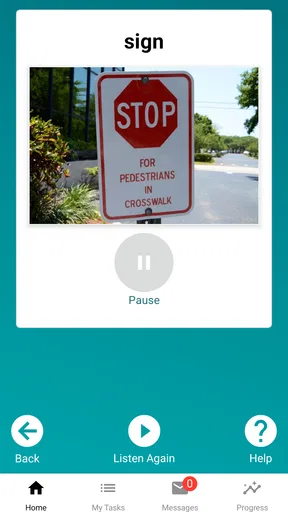
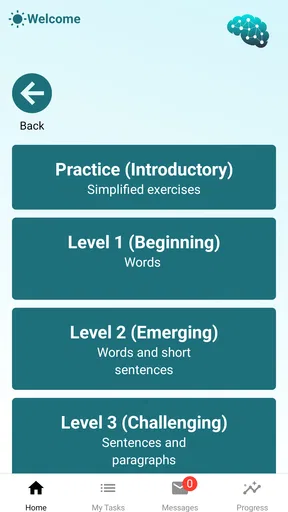
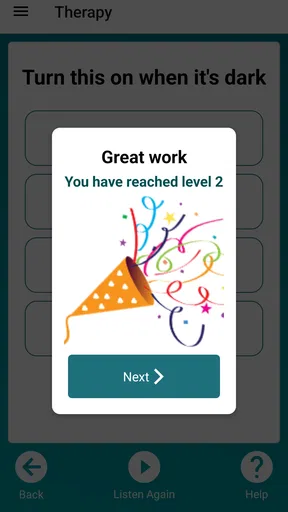
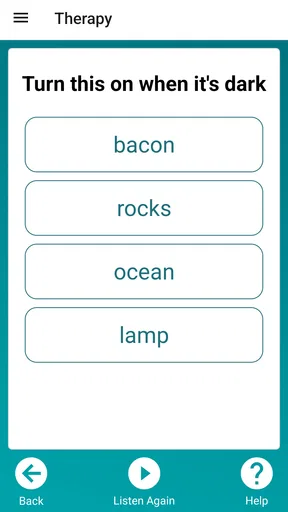
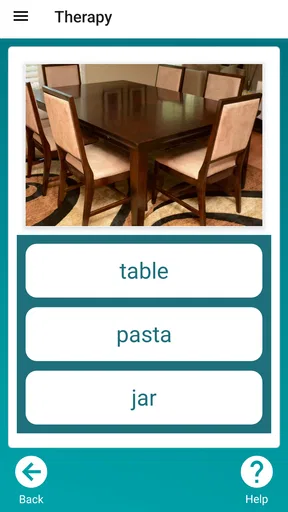
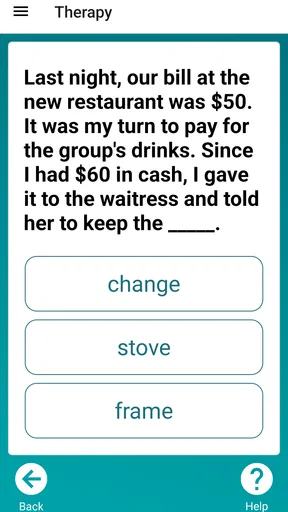
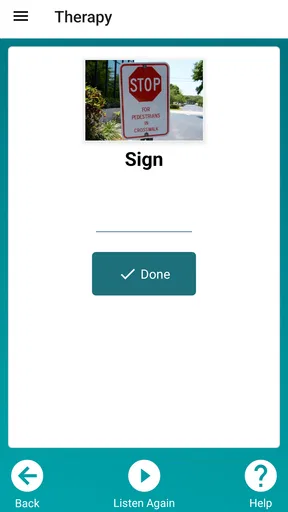
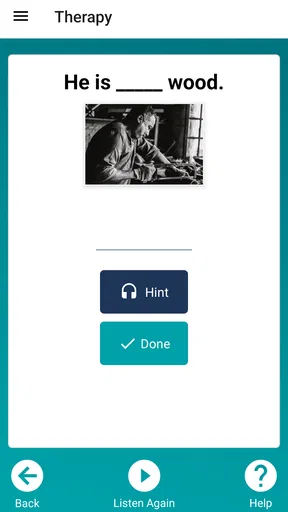
Our Review of My Aphasia Coach
 Analysis by Appyee
When aphasia affects everyday conversation, practice can be hard to fit around appointments, chores and the unpredictable pace of recovery. I see My Aphasia Coach as a way to bring language exercises into that ordinary routine, rather than treating practice as something that only happens at a desk or during a session. It is a medical app from MyAphasiaCoach.com, and its focus is specific: supporting people working on communication affected by aphasia or apraxia.
A shared device can make practice easier to start
In a household where a phone or tablet is passed between the person practising and a relative, the app can serve as a convenient prompt to sit down together. A family member might help open an exercise, then give the learner time to respond without jumping in to finish every word. That small change in pace matters: the goal is to support practice, not turn a shared session into a test administered by a well-meaning helper.
I would keep the learner in charge of the device whenever possible. Let them choose when to practise, hold it, and decide whether they want assistance. If a partner or adult child takes over every step, the routine may become easier to organize but less independent. A simple agreement—ask before helping, offer a clue only if wanted, and stop when the learner is tired—can make shared use feel respectful rather than supervised.
Set expectations before making it part of the routine
Because the exercises are intended to support language practice, I would not treat the app as a replacement for a speech-language therapist, a diagnosis, or a personalized care plan. It can be one tool in a broader routine, but a family should follow the guidance of the person’s clinician when deciding what kind of practice is appropriate. If an exercise feels confusing or upsetting, pausing is more useful than pushing through just to complete it.
It is also worth agreeing on what “progress” means before anyone starts watching scores. A better result inside an exercise can be encouraging, but the everyday test may be different: finding a word at breakfast, making a phone call, or taking part in a conversation. I would use feedback as a prompt for discussion, not as a verdict on someone’s recovery or effort.
Coordinate help without taking over
Shared practice works best when helpers have a clear, modest role. One person can make time for a short session, reduce background noise, and wait patiently while the learner works through a task. Another can note which kinds of prompts seem helpful and pass that observation along during a therapy appointment. This is more actionable than simply saying the app was “easy” or “hard,” and it keeps the conversation focused on what the learner experiences.
A useful household habit is to separate practice from correction. If someone is working on a task, avoid turning every answer into a family debate about the “right” word or pronunciation. Give the app’s activity room to do its job, then talk afterward about whether the format felt manageable. That boundary can prevent an ordinary exercise from becoming a stressful language lesson at the kitchen table.
Age, privacy and trust at home
The content rating is Everyone, so the app is broadly suitable by age, but that does not mean every person will find every exercise comfortable or appropriate to their needs. Aphasia and apraxia affect people differently, and the best judge of pace and difficulty is the person using it, with professional guidance where needed. For a younger user, an adult can help with setup; for an adult, support should still be offered in a way that preserves choice and dignity.
On a shared device, it is sensible to make account boundaries part of the setup conversation. Decide who will handle any sign-in details, who may see progress, and whether the device is also used for unrelated household tasks. I would avoid assuming that everyone who borrows the phone should open the learner’s practice history. Those are practical household choices, not a reason to let another person speak for the user.
Getting Started with My Aphasia Coach
First off, setting up My Aphasia Coach is a breeze. The app is available for both Android and iOS, so you can easily download it from your respective store. Once installed, you’ll find a clean and intuitive interface that welcomes you. The main dashboard is straightforward, making it easy to dive right into the features without a steep learning curve.
The app starts by assessing your current language skills with a series of interactive tasks. This initial evaluation is crucial as it allows the app to tailor the subsequent exercises to your specific needs. It’s like having a personal coach in your pocket! As someone who’s often overwhelmed by overly complicated setups, I appreciated how seamless this process was.
Features That Truly Stand Out
One of the standout features is the customized learning path. Based on the initial assessment, the app crafts a personalized plan that evolves as you progress. This dynamic adaptability ensures that you’re always challenged but never frustrated. It’s smart technology at its best.
The exercises are varied and engaging. You’ll find everything from word matching games to sentence construction tasks. The app uses a mix of audio and visual cues, which is perfect for different learning styles. Plus, the use of real-life scenarios in the exercises makes it practical and applicable.
Progress tracking is another highlight. The app provides detailed feedback on your performance, which is a great motivator and helps you see how far you’ve come. It’s incredibly rewarding to watch your scores improve over time.
How it fits beside therapy and other tools
Compared with paper worksheets, a phone-based activity is easier to pick up for a brief practice window and can feel more interactive. Compared with general word or puzzle games, the assessment and tailored path make this a more focused choice for language rehabilitation. Those differences do not make it universally better: a printed prompt, conversation with a familiar person, or therapist-led exercise may be a better fit when the learner needs hands-on guidance, a particular communication aid, or a break from screens.
For an everyday example, imagine a learner has a quiet stretch after breakfast before a family member leaves for work. They can open the app and try a few activities while the helper prepares coffee, then choose whether to continue or stop. Later, the helper can ask which task felt useful without demanding a score report. This turns practice into a manageable part of the day, rather than a long session that competes with meals, rest, or appointments.
One practical tip is to try activities at different times of day before settling on a routine. Fatigue, noise and interruptions can change how approachable a task feels, so a difficult attempt does not necessarily mean the exercise is a poor match. I would also keep sessions flexible: the personalized plan can provide direction, while the learner’s attention and comfort should determine when to pause.
The app is likely to suit someone who wants structured, independent practice and can use a touchscreen with little or chosen assistance. It may be less suitable for a person who needs continuous one-to-one prompting, does not enjoy digital exercises, or expects the app itself to provide clinical assessment and treatment. In those cases, a therapist-led plan or simpler offline activities may be more useful, with the app added only if the learner wants it.
The Community and Support System
Another aspect worth mentioning is the community support. My Aphasia Coach connects users through its forum feature, where you can share experiences and tips. This sense of community is invaluable for users who might feel isolated in their recovery journey.
The app also offers access to professional support. If you feel stuck or need expert advice, you can reach out to certified speech therapists through the app. This feature adds an extra layer of reassurance, knowing help is just a tap away.
For a household, a community space and professional support serve different purposes. A forum can offer peer conversation, while a therapist is the more appropriate person to ask about an individual’s treatment needs. I would encourage users to keep personal medical details out of casual posts and to make sure the learner—not just the relative helping with the phone—decides what they want to share or ask.
Cost, device fit and realistic expectations
The app is free to install, though it includes in-app purchases priced from $9.99 to $199.99 per item. I would explore the free experience first and discuss any purchase with the person who will use it, rather than treating a paid option as automatically necessary. That range is broad enough to make it sensible to check the specific item and its value to the learner before spending.
It is rated for Everyone, has an average rating of 4.2 from 92 ratings, and has been installed over 10,000 times. The current version is 9.0.4, and it requires Android 6.0 or later. These details can help a household decide whether the device is compatible and whether the app has a meaningful user base, but they cannot tell you whether its exercises match one person’s communication goals. I would base that decision on a short, low-pressure trial and, where possible, a conversation with the clinician involved.
Another trade-off is that an app can make practice more available while also making progress feel overly measurable. Scores can provide useful feedback, but they do not capture the full effort involved in communicating or the value of a real conversation. If tracking starts to create pressure between family members, scale back the attention paid to scores and return to the learner’s own sense of what is helping.
Wrapping It Up
All in all, My Aphasia Coach is a fantastic tool for anyone grappling with aphasia. It combines technology with empathy, making the journey to recovery less daunting and more empowering. The app’s personalized approach, engaging exercises, and supportive community create a holistic experience that stands out in the sea of generic health apps.
Whether you’re just starting your recovery or looking to keep your skills sharp, I’d say give My Aphasia Coach a try. It’s like having a compassionate coach guiding you every step of the way, right from the comfort of your device. So, why not take that step and see the difference it can make?
My household verdict
I would recommend trying it when the learner wants a structured way to practise and the people around them can support without managing every answer. Its assessment, varied exercises and progress feedback give a household something concrete to explore, while the forum and therapist access may add useful points of contact. The strongest approach is to let the person with aphasia set the pace and decide what support feels welcome.
I would skip it, or use it only as a small extra, if the expectation is that an app will replace therapy, guarantee improvement, or work equally well for every communication need. A shared phone can make practice convenient, but it also calls for clear boundaries around assistance, progress and purchases. Used with those limits in mind, this is a focused tool worth considering—not a substitute for human conversation or individualized care.
Verdict
Strengths of My Aphasia Coach
- User-friendly interface for easy navigation.
- Customizable exercises for personalized learning.
- Tracks progress with detailed reports.
- Accessible offline for convenience.
- Supports multiple languages for diverse users.
Limitations of My Aphasia Coach
- Limited free content without subscription.
- Occasional app crashes on older devices.
- Requires consistent updates for new features.
- Some exercises may feel repetitive.
- Initial setup can be time-consuming.
Similar Picks in This Category
View All
WebMD: Symptom Checker
WebMD, LLC4.1

Microphone Amplifier
DOSA Apps4.2

Anatomy Learning - 3D Anatomy
3D Medical OU4.5

Period Tracker and Calendar
SimpleInnovation4.9

GoodRx: Prescription Coupons
GoodRx4.8

CVS Health
CVS Pharmacy4.5
Frequently Asked Questions
What is My Aphasia Coach and how does it work?
My Aphasia Coach is a specialized app designed to assist individuals with aphasia in improving their communication skills. The app offers personalized exercises tailored to the user's specific needs, focusing on speech, comprehension, and language processing. It uses interactive modules and tracks progress, providing feedback to enhance learning.
Is My Aphasia Coach suitable for all levels of aphasia?
Yes, My Aphasia Coach is designed to accommodate users with varying degrees of aphasia, from mild to severe. The app customizes exercises based on the user’s initial assessment and adapts as they progress, ensuring that it remains challenging and appropriate for their current level of ability.
What devices is My Aphasia Coach compatible with?
My Aphasia Coach is available for both Android and iOS devices. It requires an up-to-date operating system to ensure all features function smoothly. Users should verify compatibility with their specific device model before downloading to avoid any performance issues.
Are there any subscription fees or in-app purchases in My Aphasia Coach?
My Aphasia Coach offers a basic free version with limited features. However, to access the full range of exercises and personalized coaching, users can opt for a subscription plan. The app may also include optional in-app purchases for additional content or features.
How does My Aphasia Coach ensure user data privacy?
My Aphasia Coach prioritizes user privacy by implementing strong encryption protocols and adhering to data protection regulations. Personal data is stored securely and is only used to enhance the app’s functionality. Users can review the privacy policy within the app for detailed information on data handling practices.
